 Synq for Magic: The Gathering
Sell and price Magic: The Gathering cards on Shopify
Synq prices your Magic: The Gathering singles and sealed product from TCGplayer market data and creates the Shopify products for you. Find the card, pick its printing and condition, and it's in your store with its photo and price, for sale as soon as you publish it. From then on your prices follow the market on your schedule. No spreadsheets, and no TCGplayer account needed.
7 days free on every paid plan. Free up to 100 cards.
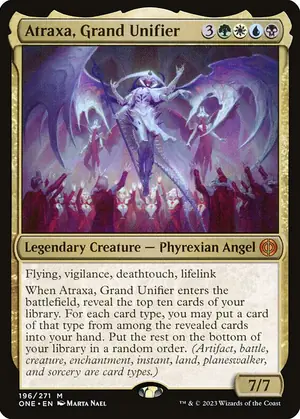
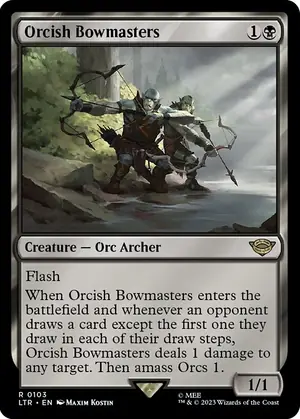
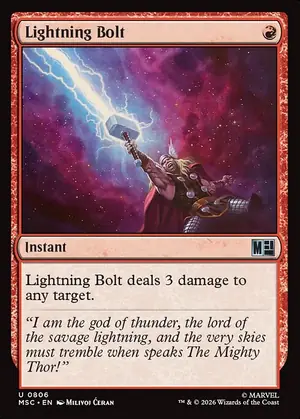
Synq for Magic: The Gathering
What Synq does with your Magic cards
Every set, by name or number
Search by name, set or collector number across sets like Foundations, Bloomburrow, Aetherdrift and Modern Horizons 3, or any set in your inventory. Type @ and a set code to pin a set. Synq creates the Shopify product with its photo, ready to publish.
Each printing priced on its own
Foil and nonfoil are separate Shopify products, each priced from its own market price, so a foil copy is never sold at the nonfoil price.
- Normal
- Foil
A variant per condition
Each condition is its own variant on the card's Shopify product, with its own price and stock, and can follow its own TCGplayer market price.
- NM
- LP
- MP
- HP
- DMG
Sealed product too
Play Booster and Collector Booster boxes, bundles and Commander decks are one product each with a single Unopened variant. With Shopify POS installed, each can carry the box barcode (UPC) from the catalog, or a Synq code when there is none.
How a price is set
Prices move. Yours keep up.
- 1
The market price
TCGplayer's market price for that exact card and printing, brought in every day and converted to your store's currency.
- 2
Your rule
The market price plus your margin, a minimum based on your cost, and how to round. Each rule previews the prices that would move before it runs.
- 3
Your Shopify price
Synq runs the rule on your schedule and updates the price in Shopify. Set a card's price by hand in Synq and rules leave it alone.
On the shelf
What Magic shops sell
Magic singles are where most Magic shops earn: staples for Commander, Modern and Pioneer, the chase rares and mythics of each new set, and a deep tail of cheap cards players need to finish a deck. The same card name can be printed in dozens of sets and frames, each at its own price, which is why a Magic catalog gets large fast.
Play Booster boxes
The main booster of each set, for drafts and cracking packs.
Collector Booster boxes
Fewer, pricier packs full of foils and special frames.
Bundles
Packs plus lands and a spindown, a gift-friendly box.
Commander decks
Ready-to-play decks, steady sellers between sets.
In Synq, singles and sealed live apart. A single is one Shopify product per card and printing, with a variant for each condition. A sealed product is one product with a single Unopened variant. Each game can send its singles and its sealed product to their own Shopify collections.
Printings and versions
How Magic printings, foils and versions work
Most Magic cards come in a nonfoil and a foil printing, and TCGplayer tracks a market price for each. In Synq each card and printing is its own Shopify product, so the foil copy has its own price and stock.
Special frames such as borderless, extended art and showcase versions usually appear in the catalog as their own cards with their own collector number, and each of those also has its own printings. That keeps a borderless mythic from ever borrowing the price of its regular frame.
Reprints are separate cards too. A Lightning Bolt from one set and a Lightning Bolt from another are different products with different prices, and you pick the one on your shelf when you add it.
A title that tells versions apart
With many printings of the same name, a title template of Product name, Set and Printing gives titles like "Card name - Foundations - Foil", which reads clearly on your store and in the Shopify admin. Product titles come from templates you set per game and per kind in Synq's Online Store settings; by default a title is just the card name.
Conditions
How condition pricing works for Magic cards
Every Magic single can carry five conditions, each its own Shopify variant with its own price and stock. Sealed product has one, Unopened. Your price rule prices each condition in one of two ways.
Each condition's market price
The default. Each condition follows its own TCGplayer market price. A played condition with no market price of its own uses Near Mint's, less the percent you set for it.
Near Mint's, less a percent
Every condition is priced from Near Mint's market price, less its own percent. Useful where played copies rarely sell.
| Condition | Default, below Near Mint |
|---|---|
| NM Near Mint | Market |
| LP Lightly Played | -10% |
| MP Moderately Played | -25% |
| HP Heavily Played | -40% |
| DMG Damaged | -60% |
A worked example
Pricing a nonfoil mythic, condition by condition
Say a nonfoil mythic has a Near Mint market price of $18.00. Your Magic rule uses "Near Mint's, less a percent" with the default percents, keeps the market price (Modify by 0%), and rounds up to x.99. Here is what each condition would list at.
| Condition | From Near Mint | Modify 0% | Listed |
|---|---|---|---|
| NM | $18.00 | $18.00 | $18.99 |
| LP | $16.20 (-10%) | $16.20 | $16.99 |
| MP | $13.50 (-25%) | $13.50 | $13.99 |
| HP | $10.80 (-40%) | $10.80 | $10.99 |
| DMG | $7.20 (-60%) | $7.20 | $7.99 |
Example numbers in US dollars, not live prices. Synq converts market prices to your store's currency and rounds in that currency.
A rule can also set a minimum, a fixed amount or your cost plus a margin, so no condition lists below it. Before anything changes on Shopify, the rule's preview shows the original and updated price of every product and condition.
At the counter
Ring up Magic cards with Shopify POS
With the Shopify POS app installed, Synq can add new Magic products to Point of Sale with scannable barcodes. Each single gets its own code per condition, so scanning a Lightly Played copy rings up the Lightly Played price, and sealed product gets the box UPC from the catalog, or a Synq code when there isn't one. Synq doesn't print labels; Shopify's free Retail Barcode Labels app does, if you skip its option to create barcodes.
Moving in
Bring the Magic cards you already have
A TCGplayer export is recognized on upload and read as exact SKUs, so card, printing and condition match. Your own CSV can have any columns; Synq matches each row by TCGplayer SKU, TCGplayer ID, barcode or name, and you review the matches before anything is created. Products already in Shopify can be linked one at a time, and Synq takes over their price and stock from the next rule run.
A TCGplayer inventory export comes in as exact SKUs, so set, printing and condition all match. From your own sheet, include a set or a TCGplayer ID column when you can: a bare card name like Sol Ring fits many printings, and Synq will ask you to pick one for each. Each import takes up to 5,000 products.
Magic: The Gathering questions, answered.
Plain answers about selling Magic cards on Shopify with Synq.
 Write to us.The founder answers, usually the same day.help@synq.cards
Yes. Each printing is its own Shopify product priced from its own market data, and each condition is a variant with its own price and stock.
Your Magic cards, for sale and priced.
Install Synq from the Shopify App Store. Paid plans start with 7 days free, and under 100 cards Synq is free.
- cards put up for sale on Shopify with Synq
- 66,000+
- prices checked against the market, automatically
- 2.2M
- games in the catalog, from Magic and Pokémon to Riftbound
- 19
Live figures from Synq across real card shops, October 2026